
Kids Learn Shapes 2
Intellijoy Educational Games for KidsEducational
4.35.00 Reviews
- Version
- 1.3.10
- Installs
- 10.00K
- Age Rating
- Everyone
Screenshots
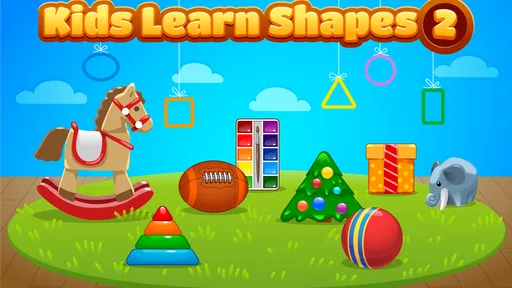
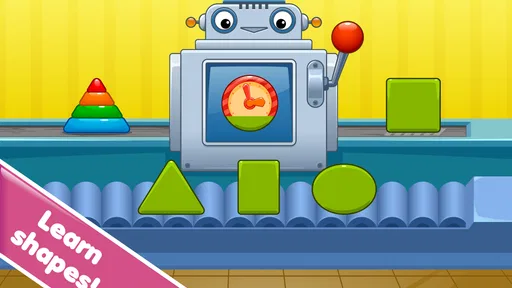
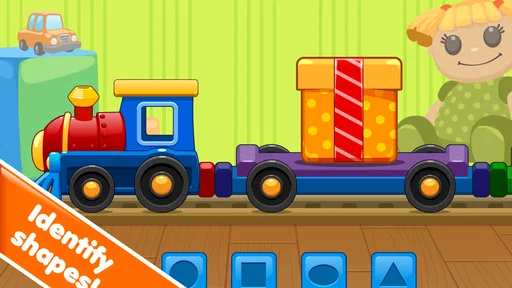
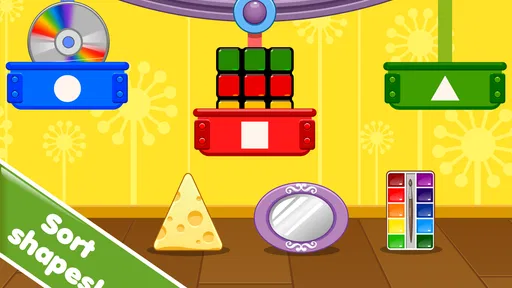
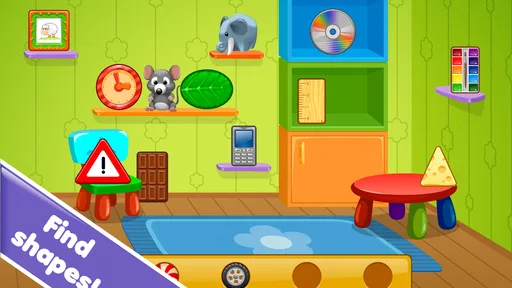
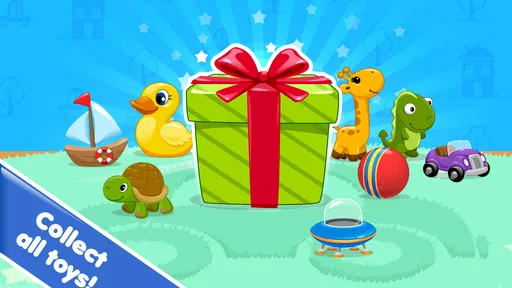
Our Review of Kids Learn Shapes 2
 Analysis by Appyee
Learning shapes sounds simple until a child loses interest, taps the wrong place, or decides that a familiar shape has suddenly changed its name. That is where Kids Learn Shapes 2 earns a closer look. I found it most useful as a short, guided learning game rather than something a child is likely to play independently for a long stretch. It turns shape recognition into an activity, but the real value comes from how an adult introduces it and responds when the child gets stuck.
This is an educational game from Intellijoy Educational Games for Kids, aimed at children in the Everyone age range. It costs $1.99, so I would view it as a focused learning purchase instead of a large all-purpose activity center. The game has a 4.3 average from around 35 ratings, with roughly five written reviews, and has passed 10K+ installs. Those figures suggest a small but clearly interested audience rather than a huge mainstream children’s platform.
Getting past the first points of friction
The first difficulty is often not the lesson itself. Young children may not understand what the game expects after an answer, may tap quickly before looking carefully, or may need an adult to explain why two objects belong to the same shape family. A parent who expects the app to teach everything without support may find the first sessions less smooth than expected.
I recommend beginning beside the child, not handing over the device and walking away. Ask the child to say the shape before tapping whenever possible. That small change turns recognition into a speaking exercise and makes it easier to notice whether the child knows the answer or is simply guessing. It also gives the activity a natural rhythm: look, name, choose, and check.
Another common sticking point is vocabulary. A child may recognize a circle in a drawing but hesitate when the same idea appears in a different size or orientation. I would not immediately correct every mistake. Instead, I would ask what the child notices about the sides or corners, then let the game provide another opportunity. The aim is to build a reliable connection between the word and the visual idea, not just to finish a screen quickly.
Because this is a shape-focused game, it is better suited to short, repeated visits than to one long sitting. A few minutes before lunch, during a quiet transition, or after a child has finished another activity can work better than scheduling it as a formal lesson. If the child becomes restless, stopping early is sensible. Pushing through can make the game feel like a test, which weakens its value.
What to check before handing it over
The game was released on April 28, 2016, and its current version is 1.3.10. It requires a minimum operating system of 7.1. Before buying or installing, I would check the device’s software version and available space, especially if the device is older or mainly used by a child. A basic compatibility check prevents a child from being disappointed before the first activity even begins.
I would also open the game once as the adult account holder. This is not about changing the learning experience; it is about confirming that the app starts correctly, that the display is comfortable to use, and that the child can reach the activity without wandering through unrelated parts of the device. On a shared tablet, this brief inspection is especially worthwhile.
For a younger learner, screen position matters more than many adults expect. If the tablet lies flat, glare can make shapes harder to distinguish and encourage random tapping. A stable viewing angle and a clean screen help the child focus on outlines and corners. This is a practical improvement that costs nothing and can be more useful than repeating instructions.
I would prepare a small real-world follow-up before starting. For example, after a session, ask the child to find a circle, square, or triangle nearby. A plate, window, book, or toy can become part of the lesson. The game then acts as a prompt rather than an isolated screen activity, which helps children understand that shapes are not limited to illustrations on a device.
Recovering when a session goes off track
When a child taps several answers rapidly, I would pause rather than grab the device. Ask the child to put a finger away from the choices, look at the shape, and describe it aloud. This restores attention without making the moment feel like a punishment. If the child still cannot decide, give one clue instead of the answer, such as asking about corners or straight sides.
If the child says the game is wrong, take that seriously for a moment. Young learners sometimes notice a visual difference that adults overlook, while at other times they are applying a word too broadly. Ask the child to explain the choice and compare it with a familiar object. That conversation can reveal whether the problem is recognition, vocabulary, or simple impatience.
A useful recovery routine is to leave the device briefly and continue with physical objects. Find two items that appear similar in shape and one that does not. Let the child sort them, then return to the game. This gives the screen activity a fresh context and can make the next attempt less frustrating. It is also a good way to avoid turning every mistake into another immediate tap.
Parents often wonder whether a child must complete a session in one go. I would not treat completion as the main goal. If attention has clearly dropped, ending on a calm note is better than forcing the final activity. On the next visit, begin with a shape the child already recognizes and then move toward a less familiar example. That approach protects confidence while still creating room for progress.
When the device, not the lesson, is the problem
Not every interruption comes from the game. A slow or crowded device can make any children’s activity feel unresponsive. If taps appear delayed, I would first close other open apps, restart the device, and try again. These are simple steps, but they help distinguish a temporary device slowdown from a problem with the learning activity.
If the display looks cramped, rotated unexpectedly, or difficult to read, I would check the device’s general display settings and orientation before assuming the game itself is at fault. Children rely heavily on clear visual boundaries, so even a small presentation problem can look like a lesson problem. Testing the app after adjusting the device gives a more reliable impression.
Installation trouble deserves the same approach. I would confirm the operating system requirement, check the internet connection used for the download, and make sure the device has enough free space. If the app installs but does not open, a restart is a reasonable first step. I would avoid repeatedly tapping the icon while a child waits, because that usually adds frustration without revealing the cause.
On a shared family device, account confusion can also create friction. The adult who made the purchase should check that the device is using the intended store account and that the app is being opened from the correct profile. I would keep this administrative check separate from the child’s learning time. Children should not have to watch a long setup process before they can begin.
The game’s Everyone rating makes it broadly appropriate for family use, but that does not mean every child will find it equally suitable. A child who is already confident with basic shapes may need more variety, physical activities, or drawing practice to stay challenged. On the other hand, a child who is still developing visual vocabulary may benefit from the slower, more conversational approach I described above.
How it fits into a child’s everyday routine
Imagine a child waiting while a parent prepares dinner. Instead of opening a broad video app with many distractions, the parent starts a brief shape session and sits nearby for the first few minutes. The child names the shapes, makes a few choices, and then looks around the kitchen for matching examples. That is a realistic use case: the game fills a short gap while supporting a conversation that continues away from the screen.
I would also use it as a gentle warm-up before drawing. After identifying shapes in the game, the child can combine them on paper into a house, vehicle, face, or simple pattern. The app does not need to provide a full art lesson to be useful here. Its role is to refresh recognition, while paper and crayons add the creative step that a screen alone cannot replace.
For siblings at different levels, taking turns can work, but adults should avoid turning the activity into a competition. One child can name the shape while the other finds it, then they can switch roles. This makes the game social and gives a less confident child time to think. If one sibling answers every question, separate turns are likely to be more helpful than shared tapping.
Teachers or caregivers could use the game as a brief individual station, provided they already know how the child responds to digital instructions. I would not use it as the only shape lesson. Pairing it with blocks, sorting objects, tracing, and outdoor shape spotting gives children more than one way to understand the same idea.
Where it is stronger than familiar alternatives
Compared with a general children’s video app, this game has a narrower purpose. That focus is its main advantage. A child who needs practice recognizing shapes can move directly into that topic without choosing among cartoons, songs, and unrelated mini-games. For parents who want a small, intentional activity, the limited scope may feel more manageable than a large entertainment platform.
Compared with printable worksheets, the game offers immediate interaction and can feel less demanding for a child who resists pencil work. It is also easier to use during a short waiting period. Worksheets still have an important advantage: they develop drawing and writing control, leave a physical record, and make it easier for an adult to see how a child thinks on paper. I would use both rather than treating one as a replacement for the other.
Compared with open-ended shape apps, a focused game can be easier for a beginner because there are fewer decisions about what to do next. The trade-off is that children who want to build, draw, or experiment freely may find it restrictive. If your child learns best through construction or movement, blocks and real objects may be the better first choice, with this game used as a short reinforcement tool.
The $1.99 price also changes the comparison. It is inexpensive enough to consider for a specific learning need, but I would not buy it expecting a complete early-learning library. Its value depends on whether your child actually needs extra practice with shapes and whether an adult is willing to connect the digital activity to everyday examples.
Who should choose it, and who should pass
I would recommend it to parents looking for a simple educational game centered on shape recognition, particularly when a child benefits from brief guided practice. It can also suit families that prefer a focused purchase over a subscription-style collection. The strongest results are likely when the adult asks questions, gives the child time to answer, and follows the session with hands-on examples.
I would be more cautious if your child already recognizes common shapes easily and needs advanced geometry, measurement, drawing, or spatial construction. This is not the right tool for replacing a broader preschool curriculum. It is also not ideal for a child who becomes upset by wrong answers or who needs highly active movement to stay engaged; in that case, physical sorting games may produce better learning with less screen frustration.
Before deciding, ask yourself three practical questions: Does the device meet the minimum operating system requirement? Can I sit with the child for the first sessions? Will I use the game alongside real objects or paper activities? If the answer to all three is yes, the purchase makes more sense than relying on the app alone.
My overall impression is that Kids Learn Shapes 2 works best as a compact teaching aid, not as a digital babysitter. Its narrow subject keeps the experience understandable, while its limitations make adult guidance and offline follow-up important. I like it for short practice, especially when a child needs repeated exposure without the pressure of a worksheet.
It is worth considering if you want an affordable, shape-specific activity and are comfortable checking the device first, helping when attention slips, and stopping when the child has had enough. If you want a large collection of subjects, creative tools, or a fully independent learning environment, another option will probably suit you better. For the right family and the right routine, though, this small educational game can turn a few spare minutes into useful practice.
Verdict
Strengths of Kids Learn Shapes 2
- Simple shape lessons are suitable for preschool-aged children.
- Bright visuals and animations help maintain young learners’ attention.
- Touch-based activities are easy for small children to understand.
- Short exercises work well for brief learning sessions.
- Repetition helps reinforce basic shape recognition skills.
Limitations of Kids Learn Shapes 2
- Limited content may feel repetitive after extended use.
- Some activities may be too easy for older preschoolers.
- Requires supervision if children use the device for long periods.
- Learning progress may be limited without adult guidance.
- Compatibility and performance can vary across older devices.
Other Releases by Intellijoy Educational Games for Kids
View All
Kids Numbers and Math
Educational4.1

Kids Learn to Read
Educational4.3

Kids Learn Letter Sounds
Educational4.3

Kids Telling Time
Educational4.2
Similar Picks in This Category
View All
Little Panda Policeman
BabyBus4.0

Monster Trucks Game for Kids 2
Raz Games4.1

Little Panda's Chinese Recipes
BabyBus4.4

Little Panda's Restaurant
BabyBus4.4

Little Panda's Ice Cream Games
BabyBus4.3

Baby Panda Care
BabyBus3.8
Frequently Asked Questions
What is Kids Learn Shapes 2, and who is it designed for?
Kids Learn Shapes 2 is an educational game created to help young children recognize, name, and understand common shapes through interactive activities. It is mainly intended for preschool and early-learning children, although the appropriate age can vary depending on the child’s development. The simple controls and colorful presentation make it suitable for children who are beginning to learn independently.
What can children learn while playing Kids Learn Shapes 2?
The app focuses on basic shape recognition and may help children become familiar with shapes such as circles, squares, triangles, rectangles, and other simple geometric forms. Depending on the activity, children can practice matching shapes, identifying differences, and connecting names with visual examples. It is best used as a supplementary learning tool rather than a replacement for guided teaching.
Is Kids Learn Shapes 2 easy for young children to use?
Kids Learn Shapes 2 is designed with young users in mind, using large visual elements, straightforward instructions, and touch-based interactions. Children who are already comfortable tapping and dragging on a phone or tablet should be able to start playing with limited assistance. Younger children may still need an adult to explain the first activities, adjust settings, or help them stay focused.
Does Kids Learn Shapes 2 require an internet connection?
The core learning activities in Kids Learn Shapes 2 may be available without a continuous internet connection after installation, which can make it useful for travel or offline practice. However, internet access might be needed for downloading the app, receiving updates, displaying advertisements, or accessing certain optional features. Parents should check the app’s store listing and permissions before downloading.
Is Kids Learn Shapes 2 safe and suitable for children?
Kids Learn Shapes 2 is intended for children, but parents should review the app’s privacy information, advertising policy, and in-app purchase details before allowing independent use. It is also a good idea to play the first session together and confirm that the content, sounds, and difficulty are appropriate. Device parental controls can provide additional protection, especially on shared phones or tablets.
Play our best games!


